
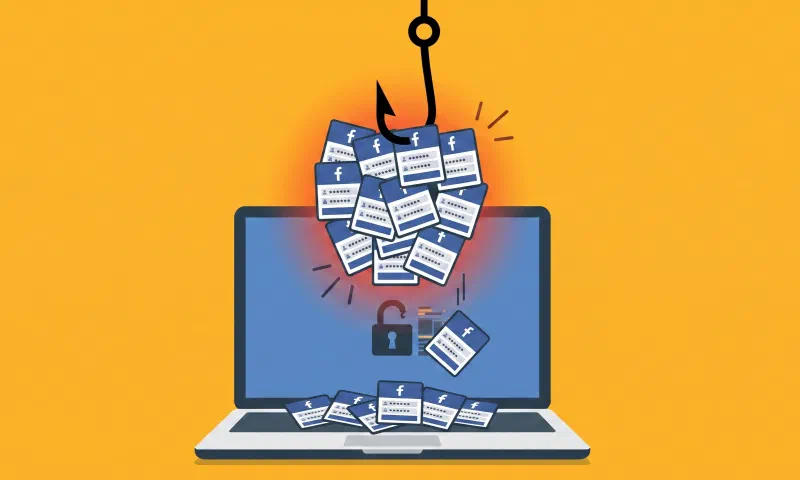
AccountDumpling: How a Legitimate Google Tool Was Weaponized to Steal 30,000 Facebook Accounts
Researchers at cybersecurity firm Guardio Labs uncovered a sophisticated phishing operation that compromised approximately 30,000 Facebook accounts across countries including the United States, Italy, and Canada. The campaign, codenamed AccountDumpling, was linked to threat actors based in Vietnam.
What Happened?
The attack began with an apparently legitimate email targeting Facebook Business account owners. The message impersonated an official Meta Support notification, warning the user that their account would be permanently deleted unless they submitted an appeal immediately.
What made this attack particularly deceptive was its point of origin: the emails were sent from the address [email protected], belonging to Google AppSheet, a legitimate business automation tool from Google. Once victims clicked the link in the email, they were redirected to fake web pages designed to harvest their login credentials, two-factor authentication (2FA) codes, personal information, and even photos of official government IDs.
The stolen data was exfiltrated in real time to Telegram channels controlled by the attackers, who subsequently sold the compromised accounts on underground online markets.
| Aspect | Detail |
|---|---|
| Campaign name | AccountDumpling |
| Abused platform | Google AppSheet ([email protected]) |
| Target | Facebook Business accounts |
| Compromised accounts | ~30,000 (USA, Italy, Canada) |
| Stolen data | Credentials, 2FA codes, official IDs |
| Exfiltration channel | Telegram |
| Discovered by | Guardio Labs |
| Attributed origin | Vietnam (based on metadata analysis) |
Why Was This Attack So Effective?
The success of AccountDumpling comes down to a tactic that is becoming increasingly common among cybercriminals: abusing legitimate, high-reputation platforms to distribute malicious content.
By using Google AppSheet as a “phishing relay,” the attackers were able to bypass the main email security filters, including the technical verification protocols known as SPF, DKIM, and DMARC. These protocols are designed precisely to detect fraudulent emails — but since the messages originated from real Google servers, security systems classified them as trustworthy.
The attackers also did not rely on a single tactic. Guardio Labs identified four types of lures used to trigger panic in victims:
- Account disablement notices citing alleged policy violations
- Copyright infringement claims threatening content removal
- Supposed identity verification reviews requesting urgent documentation
- Fake executive recruitment offers falsely attributed to Meta
The operation also leveraged other trusted platforms — Netlify, Vercel, Google Drive, and Canva — to host fake pages and generate attack materials, making detection even more difficult.
Analysis: Trust as a Weapon
This case is a clear example of a troubling trend in the cybersecurity landscape: criminals have stopped building their own infrastructure and instead opt to hijack the reputation of well-known technology brands.
Google, Meta, Microsoft, and other major companies have built decades of trust with users. That trust translates into automatic email filters — and users themselves — lowering their guard when they see a familiar domain. By embedding malicious content within legitimate ecosystems, attackers ensure their messages land directly in the inbox looking every bit like official communications.
AccountDumpling was not an improvised operation. According to Guardio researchers, it was an active operation with real-time operator panels, continuously evolving tactics, and a commercial cycle that included reselling stolen accounts through clandestine storefronts. A structured criminal business that illustrates the level of professionalization that certain organized cybercrime groups have reached.
Security Tips: How to Protect Yourself
Against attacks that exploit trust in legitimate platforms, adopting active security habits is essential. Here are some key recommendations:
1. Always verify the sender and the link before taking action
An email may come from an apparently legitimate address (such as [email protected]) and still be malicious. Before clicking any link, hover your cursor over it to see the actual destination URL. If the domain does not belong to the company supposedly contacting you, do not click.
2. Never enter your credentials by following a link in an email
If you receive an urgent notice about your Facebook account or any other platform, access it directly by typing the official address into your browser (e.g., facebook.com or meta.com). Legitimate notices will be waiting for you inside your account.
3. Enable two-factor authentication (2FA)
Although this attack attempted to capture 2FA codes as well, having this feature enabled adds an important extra layer of protection. Prefer the use of authenticator apps (such as Google Authenticator or Authy) over SMS-based methods, which are more vulnerable to interception.
4. Be suspicious of urgent messages
Messages that threaten to delete your account, suspend your services, or offer exclusive opportunities if you act “immediately” are classic phishing warning signs. Take a moment to verify before acting.
5. Keep your devices updated and use security tools
An up-to-date browser and a reliable security solution can detect and block known phishing pages before you ever enter your data.
6. Report suspicious emails
If you receive an email you suspect is a phishing attempt, report it to the relevant platform (Meta, Google, etc.) and mark it as spam in your email client. This helps improve security filters for all users.
Recap
AccountDumpling is not just another phishing case. It is a demonstration of operational maturity within organized cybercrime: infrastructure distributed across multiple legitimate platforms, real-time control panels, structured monetization cycles, and continuously evolving tactics. The choice of Google AppSheet as the attack vector was not accidental — it was a precise technical decision to bypass widely deployed security controls.
For users and organizations, the central message is clear: trusting a sender’s name or a link’s domain is no longer sufficient as a security criterion. In an environment where attackers use the same services as legitimate businesses, active verification, skepticism toward urgency, and robust authentication controls are the most effective defenses available today.
Sources
- The Hacker News: “30,000 Facebook Accounts Hacked via Google AppSheet Phishing Campaign” (May 1, 2026)
- SC Media: “Vietnamese operation uses Google AppSheet for Facebook phishing, targets 30,000 accounts” (2026)
- Hackread: “Google AppSheet Exploited in 30,000-User Facebook Phishing Operation” (2026)
- Analytics Insight: “How AppSheet Phishing Put 30,000 Facebook Accounts at Risk” (2026)
- Guardio Labs: AccountDumpling Technical Report — researcher Shaked Chen (primary source cited in secondary reports, 2026)
- KnowBe4: Report on similar AppSheet phishing campaign (May 2025)
This article was written for informational and cybersecurity awareness purposes. If you believe your Facebook account has been compromised, change your password immediately and enable two-factor authentication from your account’s security settings.