
Malware-Slop: When the Malicious Package Gives Itself Away
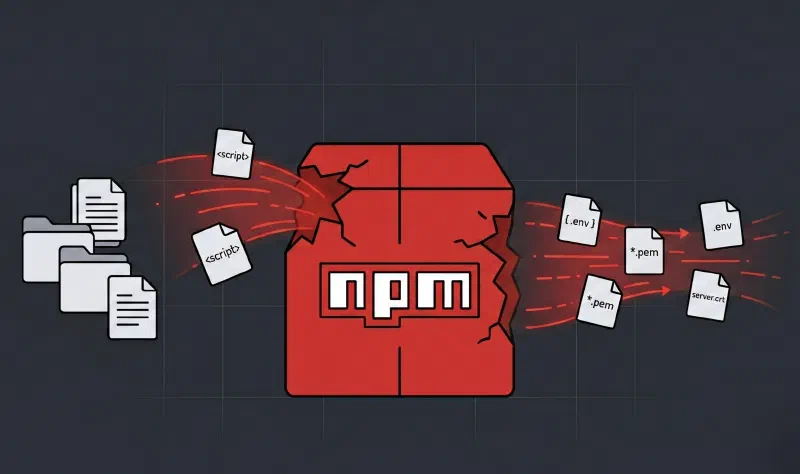
On May 27, 2026, researchers at the security firm OX Security published a technical breakdown of a malicious package found on the public npm registry. The package, named mouse5212-super-formatter, posed as a formatting utility but worked as an infostealer: it lifted files from the working directory of Anthropic’s AI assistant Claude and shipped them off to a GitHub account under the attacker’s control.
What makes this case stand out—and what gave the campaign its name, Malware-Slop—is that the attacker made a rookie operational mistake: they left their private GitHub token sitting right in the package’s source code, exposed to anyone who bothered to look. By the time the analysis went public, the package had racked up 676 downloads and was still live on npm. It has since been reported and pulled from the registry.
What Is npm, and Why Is It Such an Attractive Attack Vector?
Before getting into the incident, it helps to set the scene. npm (Node Package Manager) is the largest public software package registry in the world, with more than two million packages available and over 17 million downloads a day. It’s the backbone of the JavaScript and Node.js ecosystem: just about every modern web or backend project leans on dozens or hundreds of external packages pulled from this registry.
The appeal is obvious: reuse and speed. Rather than writing already-solved functionality from scratch—date parsing, text formatting, HTTP request handling—developers pull in a dependency in seconds. The catch is structural: that trust is, by default, blind. Anyone can publish a package to npm. There’s no mandatory security review before a package goes live. And once installed, a package runs with the same privileges as the process that calls it—including automatic scripts that fire the moment it’s installed.
That’s exactly the model mouse5212-super-formatter exploited.
What Is an Infostealer, and How Does This One Hide?
An infostealer is a type of malware whose main goal isn’t to damage a system or lock it up for ransom, but to quietly collect information and ship it off to whoever’s running it: credentials, access tokens, config files, documents. They’re hard to spot precisely because they don’t disrupt anything—they just watch and exfiltrate.
mouse5212-super-formatter wrapped itself in a carefully built cover story to avoid raising flags:
- Its name suggested a generic formatting tool—the kind of low-risk utility developers install without a second thought
- Its code used deliberately bland technical comments framing it as an “archive deployment sync utility”: a tool for syncing workspace files
- It wrote a phony “network connections” log to make it look like it was sending harmless diagnostic data
OX Security’s analysis flags a telling detail: the code deliberately steered clear of patterns that tend to give away AI-generated code—things like redundant comments or comments in unexpected languages—specifically to avoid looking automated. The attacker took that camouflage precaution and, at the same time, left their own private token embedded in the code. That contradiction—careful about the cosmetic, careless about the critical—is the signature of this kind of threat.
In reality, none of the advertised functionality existed. It was all a front.
The Incident: How the Attack Works, Step by Step
The malicious payload fired during npm’s postinstall lifecycle stage—the moment the package finishes installing, with no further action needed from the user. The chain of execution went like this:
Step 1 — Authenticating to GitHub
The script first looked for a GitHub access token in the system’s environment variables. If it didn’t find one, it fell back on a token hardcoded directly into the code. That fallback is what ultimately exposed the attacker: the token pointed to their own GitHub account and sat in plain text for anyone reviewing the package’s source.
Step 2 — Setting Up the Exfiltration Repository
With an active token, the malware checked whether a repository already existed in the attacker’s account to store the stolen data. If not, it created one automatically through the GitHub API.
Step 3 — Recursive File Collection
The script walked the /mnt/user-data directory recursively—the path Anthropic’s Claude uses to handle file uploads, downloads, and outputs behind the scenes. Every file in that path was fair game for exfiltration. Files were base64-encoded before being sent off, a basic obfuscation trick to disguise the outbound content from a casual look at the traffic.
Step 4 — Organized Exfiltration
The files were uploaded to the attacker’s repository under randomly named folders generated per run. That let the operator keep stolen data from different victims separate rather than jumbled together.
Attack Flow at a Glance
npm install mouse5212-super-formatter
         │
         ▼
postinstall script runs automatically
         │
         ▼
Authenticate to GitHub (env token or hardcoded token)
         │
         ▼
Create exfiltration repository if it doesn't exist
         │
         ▼
Recursively walk /mnt/user-data
         │
         ▼
base64-encode + upload files via the GitHub Contents API
         │
         ▼
Data stored in a random folder in the attacker's repository
The whole thing ran completely silently: no visible errors, no interruption to the developer’s workflow, and no obvious traces in the system logs.
Why Is Claude AI’s Directory Such a Valuable Target?
The /mnt/user-data directory wasn’t a random pick. It’s the path Anthropic’s Claude uses to handle files during operation: documents uploaded for analysis, generated outputs, intermediate working data. For a developer who uses Claude day to day, that directory can hold:
- Proprietary source code sent in for review or debugging
- Confidential documents fed to the assistant as context
- Customer data used in analysis tasks
- Credentials or tokens that slipped in as part of a prompt or config file
- Sensitive outputs generated over the course of a work session
This kind of attack marks a shift in what malware goes after: instead of targeting operating systems or traditional databases, attackers are starting to zero in on the data surfaces created by the AI tools woven into developers’ workflows. The risk is especially acute in corporate settings, where a single Claude instance can concentrate the output of dozens of engineers or analysts in its working directory.
The Mistake That Gave It Away: The Hardcoded Token and the Malware-Slop Paradox
The most striking feature of this case—and the one that named the Malware-Slop campaign—is the attacker’s own operational blunder. Embedded in the package’s source code, visible to anyone who downloaded and examined it, was the attacker’s private GitHub token, sitting there as a fallback for authentication.
That token was enough for OX Security’s researchers to:
- Identify the attacker’s GitHub account (
unplowed3584) - Get into the exfiltration repository and watch roughly seven active data-theft sessions, most of which were the attacker testing their own tool during development
- Reconstruct the timeline: the account had been created just hours before the first malicious version went up on npm, and it already held a test repository with the attacker’s own commits
The term Malware-Slop captures the dynamic exactly: malicious code thrown together carelessly, most likely with help from generative AI tools, by someone who neither understands nor applies even the basics of anonymity and operational security (OPSEC). And this isn’t a one-off. The same pattern showed up earlier this year in VoidLink, a Linux malware strain that researchers concluded was largely built by an AI agent under the direction of a single person. AI lowered the bar for building the malware—but it also stripped away the friction that used to force attackers to learn basic OPSEC before going operational.
There’s an important caveat, though, against the temptation to wave these threats off as “sloppy”: even imperfect malware can do real damage if it reaches enough users before it’s caught. With 676 downloads before detection, this package wasn’t a failed experiment—it was a real incident with genuine potential for data exposure.
OX Security sums up the outlook plainly: now that the cost of producing malicious code has dropped sharply, expect a wave of inexperienced actors publishing sloppy malware—often imitating more sophisticated groups—until registries like npm roll out systematic, automated blocking for this kind of package.
The Bigger Picture: Software Supply Chain Attacks
This incident is a concrete example of what’s known as a software supply chain attack. The premise is simple, which is exactly why it works: rather than breaking into the victim’s system directly—which means getting past active security controls—the attacker plants malicious code in a software dependency the victim installs willingly.
Public package registries like npm are the infrastructure modern development is built on. That trust is precisely what attackers exploit. The developer didn’t install malware; they installed what looked like a formatting tool. For anyone who doesn’t read the code of every dependency—which is the vast majority of developers, for perfectly good practical reasons—there’s no visible warning sign anywhere in the normal workflow.
On top of that comes the emerging risk specific to this case: malware that targets AI tools. As assistants get baked into development workflows—Claude, GitHub Copilot, Cursor, Gemini Code—the working directories of these tools turn into concentrated stores of sensitive information. They’re a high-value target with a relatively new, and therefore less-watched, attack surface compared with traditional vectors.
Affected Systems and Assets
At Risk for Anyone Who Installed the Package
- Files in
/mnt/user-data: everything in Claude’s working directory, including uploads, outputs, and temporary files - GitHub tokens present in environment variables: if the install environment had an active GitHub token, it was used as an authentication vector and should be treated as compromised
- Any sensitive information processed by Claude in recent sessions that was written to disk
Scope of the Incident (per OX Security’s analysis)
- Roughly 7 active exfiltration sessions were observed in the attacker’s repository before it was taken down, most of them likely the attacker’s own tests
- The attacker’s GitHub account was created on May 26, 2026, hours before the first version of the package went up on npm
- The exfiltration repository was removed by GitHub after the report; the package, however, was still live on npm when the analysis was published
- The package reached 676 total downloads before being pulled from the registry
⚠️ Note: If you installed
mouse5212-super-formatterin any environment, treat the files in/mnt/user-data—and any GitHub token available in that environment—as potentially compromised.
Indicators of Compromise (IOCs)
| Type | Indicator | Description |
|---|---|---|
| Package name | mouse5212-super-formatter |
Malicious npm infostealer; all versions affected |
| Target path | /mnt/user-data |
Local directory walked recursively for exfiltration |
| Exfiltration method | GitHub Contents API | Used to upload stolen files to the attacker’s repository |
| Obfuscation technique | base64 encoding | Applied to file contents during exfiltration |
| Attacker account | unplowed3584 (GitHub) |
Created hours before publication; deleted after detection |
Security Recommendations
Immediate Steps If You Installed the Package
- Revoke every GitHub access token that was available as an environment variable in the environment where the install happened
- Audit the contents of
/mnt/user-dataand figure out what sensitive information may have been exfiltrated; treat it as compromised by default - Remove the package from your dependencies and from the install environment
- Review the activity history on your GitHub repositories for any access, commits, or pushes you don’t recognize
Before Installing Any Package
- Check the package’s age and reputation: few downloads, a publishing account created very recently, and the absence of a source repository with real activity are direct red flags. The attacker’s account was hours old when it published.
- Read the
postinstallscripts inpackage.jsonbefore installing. Any package that runs scripts with network or filesystem access during installation deserves a close look. - Use software composition analysis (SCA) tools like Socket.dev, Snyk, or equivalents that flag suspicious behavior in packages before installation—including environment-variable access and network operations in install scripts.
- Be wary of packages with no history or community backing: lack of age, low download counts, and no active community are among the most reliable risk signals for new dependencies.
For Security and DevSecOps Teams
- Enforce package allowlisting in critical production environments: only pre-approved packages can be installed
- Restrict network permissions during dependency installation:
postinstallscripts shouldn’t have unrestricted internet access by default - Store tokens and credentials in secret managers, never as global environment variables accessible to any process on the system
- Run
npm auditregularly and bake dependency scanning into your CI/CD pipelines—not just at initial install time - Monitor the working directories of AI tools as part of your DLP strategy: they’re new data surfaces that concentrate high-value information and that traditional threat models rarely account for
Wrapping up…
mouse5212-super-formatter is a compact but revealing case of how two trends are converging to shape the threat landscape for years to come: the abuse of open-source distribution ecosystems as an attack vector, and malware built specifically to go after the data surfaces that AI tools generate.
The technical failure is simple: a postinstall script with network access that nobody reviewed before running it. The systemic problem runs deeper. The npm registry runs on a model of implicit trust that doesn’t scale well against malicious actors armed with tools that slash the cost of producing harmful code. When spinning up a working infostealer takes hours instead of weeks, the number of attempts climbs—and with it, the odds that one slips through unnoticed long enough to do real harm.
The case also lays bare the central paradox of Malware-Slop: the same AI that lowered the bar for writing the code also removed the friction that used to force attackers to learn basic OPSEC. The result is malware that’s more frequent but sloppier. Sometimes, as it did here, that means the attacker gives themselves away. But even clumsy malware can do real damage: the 676 users who installed this package got no benefit from the attacker’s mistake until researchers found it. Early detection was possible thanks to the exposed token—a lucky break for defenders, not a structural safeguard.
The same pattern is documented in VoidLink, the Linux malware built by a single person with AI, and in other recent npm supply chain incidents. The trend isn’t new, but the speed at which new actors can now get into the game is.
The lesson isn’t to stop using npm or to pull AI tools out of the workflow. It’s to recognize that the trust placed in any external dependency is always provisional, and that the working directories of AI assistants are now every bit as critical as any production database. They deserve the same level of scrutiny.
And in the case of mouse5212-super-formatter, all it took was one npm install.
Sources:
- OX Security: “Malware-Slop: New Malicious npm Package Leaks Its Own GitHub Private Token” (May 27, 2026)
- The Hacker News: “Malicious npm Package Stole Files From Claude AI User Directory via GitHub” (May 27, 2026)
- The Register: “Malware dev tries to steal Claude users’ secrets, writes npm slop, leaks own GitHub private token” (May 27, 2026)
- Infosecurity Magazine: “AI-Generated npm Malware Leaks Its Own GitHub Token” (May 29, 2026)
- Cybersecurity News: “AI-Generated npm Malware Accidentally Exposes Threat Actor’s Private GitHub Token” (May 28, 2026)
- CSIRT Telconet: “Descubren paquete malicioso en npm que roba información del directorio de Anthropic Claude” (May 27, 2026)